PyCharm vs VS Code for Python Developers: A Technical Comparison
PyCharm vs VS Code for Python developers is a comparison between two widely used development environments that differ in architecture, feature depth, and workflow integration. PyCharm is a dedicated Python IDE with many features available out of the box, while VS Code is a lightweight, extensible code editor that relies on extensions to support Python development. The choice between them depends on project scale, team practices, performance constraints, and how Python is used in real-world environments.
What is PyCharm vs VS Code for Python Developers: A Technical Comparison?
PyCharm and Visual Studio Code (VS Code) are tools used to write, debug, test, and maintain Python code, but they are designed with different philosophies.
PyCharm is a full-featured Integrated Development Environment (IDE) focused primarily on Python and closely related technologies.
VS Code is a general-purpose code editor that becomes a Python development environment through extensions.
Understanding this distinction is essential for working professionals who need to align tooling choices with enterprise requirements, long-term maintainability, and team workflows.
How does Python work in real-world IT projects?
In enterprise environments, Python is rarely used in isolation. Typical real-world usage includes:
Backend services (REST APIs, microservices)
Data processing pipelines
Automation and scripting
Test automation frameworks
Machine learning and analytics workflows
Python projects often involve:
Virtual environments
Dependency management
Version control (Git)
CI/CD pipelines
Debugging across local and remote systems
Development tools must support these workflows reliably, which is where differences between PyCharm and VS Code become relevant.
Why is PyCharm vs VS Code important for working professionals?
For working professionals, the editor or IDE directly affects:
Development speed
Error detection and debugging efficiency
Code readability and maintainability
Onboarding time for new team members
Consistency across development environments
Choosing the wrong tool can introduce friction, especially in large codebases or regulated enterprise environments where debugging, refactoring, and testing are routine tasks.
What is PyCharm, and how is it used in professional projects?
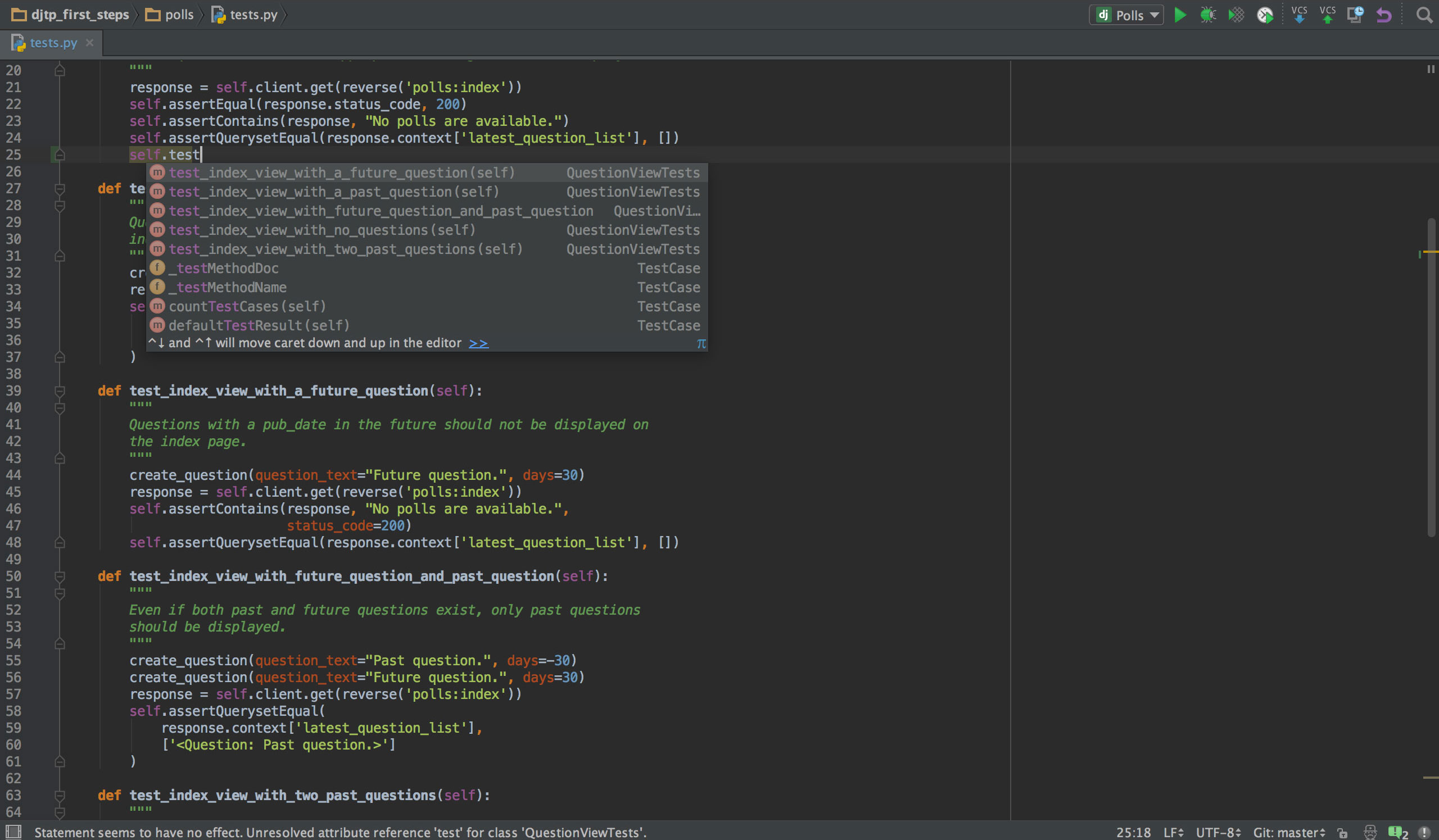
PyCharm is a Python-specific IDE designed to provide deep language intelligence without extensive configuration.
Key characteristics of PyCharm
Built-in Python interpreter and virtual environment management
Advanced static code analysis
Integrated debugger and test runner
Database and ORM tooling (in Professional edition)
Strong refactoring support
Typical enterprise use cases
PyCharm is commonly used in:
Large monolithic Python applications
Django and Flask backend systems
Data engineering projects with complex dependencies
Long-lived codebases requiring frequent refactoring
Teams that prioritize consistency and deep tooling often standardize on PyCharm to reduce setup variability.
What is VS Code, and how does it support Python development?
VS Code is a lightweight editor that supports Python through extensions such as the Python extension, Pylance, and debugging tools.
Key characteristics of VS Code
Minimal base installation
Extension-driven functionality
Strong multi-language support
Fast startup and low memory footprint
Broad ecosystem of plugins
Typical enterprise use cases
VS Code is often used in:
Polyglot environments (Python + JavaScript + YAML + Terraform)
Cloud-native and DevOps workflows
Containerized and remote development setups
Teams prioritizing editor flexibility
VS Code fits well where Python is one of many technologies in a single workflow.
How do PyCharm and VS Code differ architecturally?
| Aspect | PyCharm | VS Code |
| Core design | Full Python IDE | Extensible code editor |
| Language focus | Python-first | Multi-language |
| Features | Built-in | Extension-based |
| Configuration | Opinionated defaults | Highly customizable |
| Performance | Heavier footprint | Lightweight |
This architectural difference explains why PyCharm feels “complete” immediately, while VS Code requires setup but adapts easily to diverse stacks.
How do PyCharm and VS Code compare for code intelligence?
PyCharm code intelligence
Deep static analysis
Accurate type inference
Context-aware autocompletion
Inline error detection
Safe refactoring tools
These features work immediately without manual configuration, which is valuable for complex codebases.
VS Code code intelligence
Provided primarily by Pylance and language servers
Fast autocompletion with type hints
Quality depends on extension configuration
Improves significantly with well-typed code
VS Code performs well in modern, type-annotated Python projects but may require tuning for older codebases.
How do debugging workflows differ in practice?
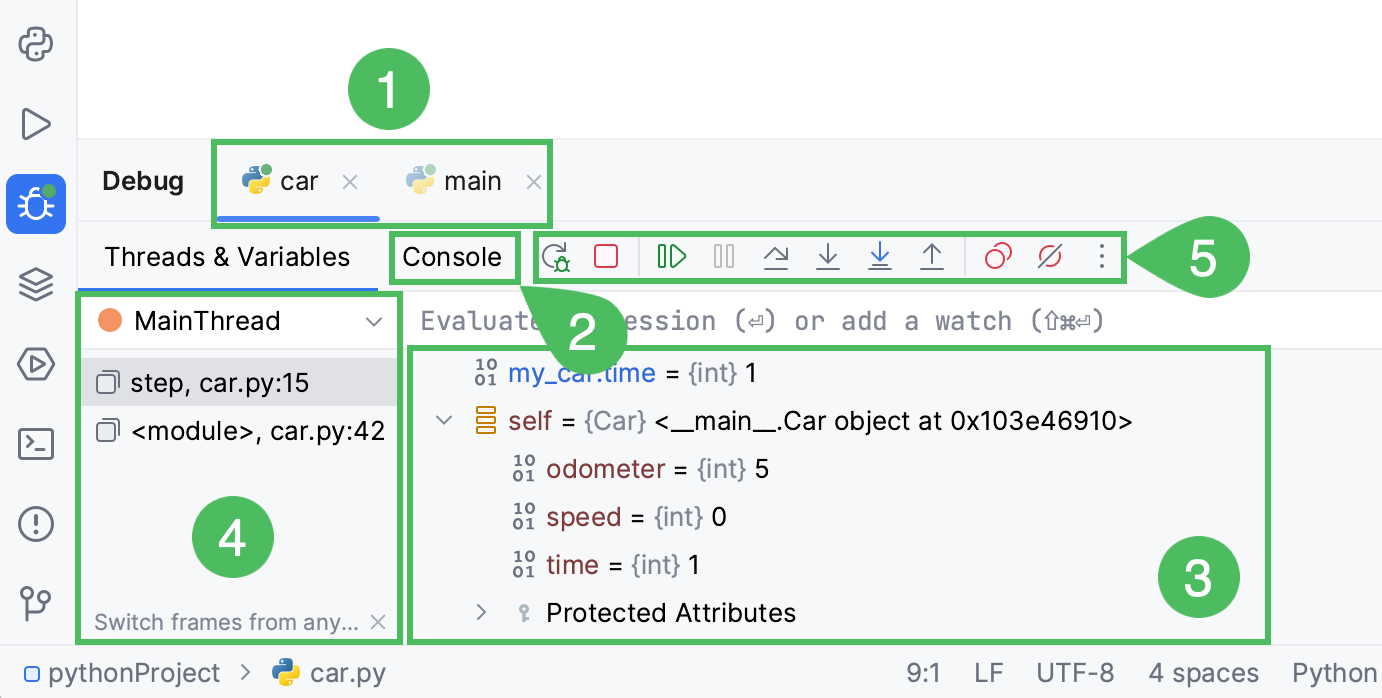
Debugging in PyCharm
PyCharm includes:
Graphical breakpoints
Variable inspection
Call stack visualization
Conditional breakpoints
Integrated test debugging
These features are tightly integrated and consistent across projects.
Debugging in VS Code
VS Code debugging:
Uses debug adapters
Supports local, remote, and container debugging
Requires configuration files (
launch.json)Works well for distributed systems
VS Code is often preferred when debugging spans local machines, containers, and cloud environments.
How do these tools handle testing and quality checks?
PyCharm testing support
Native integration with pytest, unittest, nose
Visual test runners
Coverage analysis
Test-driven development workflows
VS Code testing support
Test discovery via extensions
Command-line oriented workflows
Flexible integration with CI pipelines
Both tools support testing well, but PyCharm emphasizes visual workflows, while VS Code aligns closely with CLI-based practices.
How is Python used in enterprise environments with these tools?
Enterprise Python development often includes:
Version control policies
Code review standards
Security scanning
Performance monitoring
Automated testing pipelines
PyCharm supports these through built-in inspections and structured project views.
VS Code supports them through integrations with external tools and services.
Neither tool enforces enterprise standards by default; they support them through configuration and team practices.
What skills are required to learn Python professionally?
Regardless of tool choice, professionals must develop:
Core Python syntax and data structures
Object-oriented programming
Virtual environments and dependency management
Debugging techniques
Testing frameworks
Version control workflows
A python certification course online typically covers these fundamentals and shows how tools like PyCharm and VS Code are used in realistic projects.
What job roles use Python daily?
Python is used regularly in roles such as:
| Role | Common Python Usage |
| Backend Developer | APIs, services, integrations |
| Data Analyst | Data cleaning, analysis |
| Data Engineer | Pipelines, ETL jobs |
| QA Automation Engineer | Test frameworks |
| DevOps Engineer | Automation scripts |
| ML Engineer | Model training and evaluation |
Tool choice often depends more on team environment than job title.
What careers are possible after learning Python?
Python skills support career paths including:
Software developer
Automation engineer
Data analyst or scientist
Cloud and DevOps engineer
Machine learning engineer
Pursuing the Best Python Certification helps validate foundational knowledge, but long-term career growth depends on applying Python in real systems and workflows.
When should you choose PyCharm over VS Code?
PyCharm is generally a better fit when:
Python is the primary technology
Projects are large and long-lived
Refactoring and static analysis are critical
Teams want minimal configuration overhead
When should you choose VS Code over PyCharm?
VS Code is often preferable when:
Working across multiple languages
Developing cloud-native or containerized systems
Customizing tooling per project
Running on constrained hardware
Frequently Asked Questions (FAQ)
Is PyCharm better than VS Code for beginners?
PyCharm can be easier for beginners because many features work without setup, but VS Code is also approachable with basic extensions.
Do companies standardize on one tool?
Some teams standardize to reduce variability, while others allow flexibility based on role and project.
Can both tools be used in the same team?
Yes. As long as code standards and tooling outputs are consistent, teams often use a mix of editors.
Does tool choice affect Python performance?
No. Performance depends on code quality and runtime environment, not the editor.
Is a certification required to use these tools professionally?
A Python Certification Course Online is not mandatory, but it helps establish structured knowledge, especially for career transitions.
Key Takeaways
PyCharm is a Python-focused IDE with deep built-in features.
VS Code is a flexible editor that adapts to Python through extensions.
Tool choice depends on project scale, team workflow, and environment.
Both tools are widely used in enterprise Python development.
Strong Python fundamentals matter more than the editor itself.